
Smart Factory Equipment Monitoring
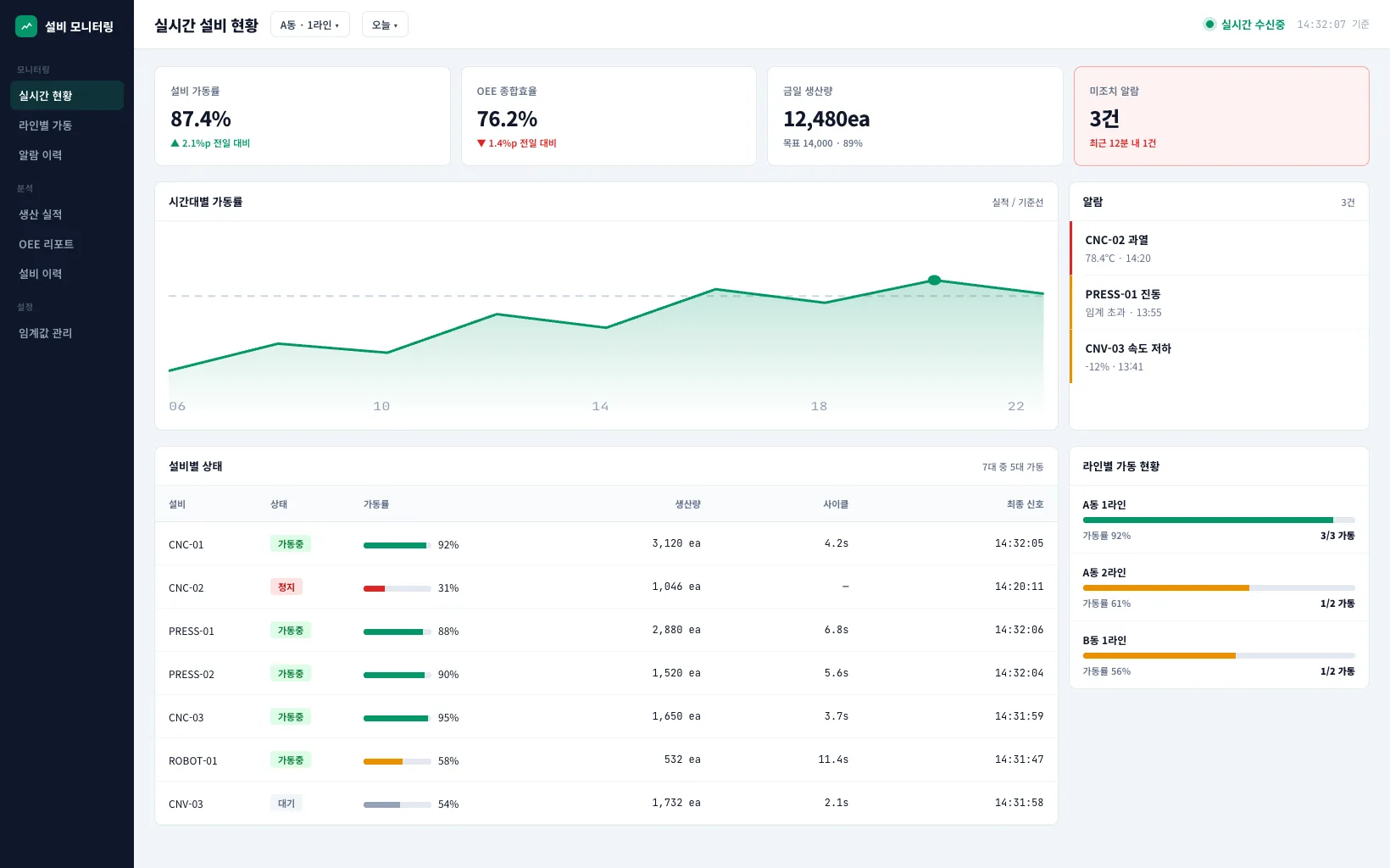
Streams equipment signals in real time so operating and fault states sit on one screen.
- Timeline
- About 5 months
- Team size
- 4 people
- Platforms
- Web · Server
- Data collected
- Equipment PLC signals
Background
When equipment developed a problem, no one knew until a floor worker spotted it visually. Equipment signals were captured in the PLC, but there was no screen to aggregate and view them.
Scope
- Real-time collection of equipment signals
- Display of running, stopped, and fault states
- Per-equipment history lookup
- Alerts on fault occurrence
- Dashboard by equipment group
Technical decisions
What we chose, and why it fitCollected equipment signals over MQTT instead of HTTP polling
Equipment PLCs pushed out hundreds of signals per second, and polling for status at a fixed interval simply dropped whatever occurred between polls. We introduced a broker and switched to a publish model where equipment pushed signals, so they could be received in order without loss.
Separated collection from processing on Azure
If signal collection briefly lagged and that also slowed down screen viewing, floor response would be delayed. We separated the collection pipeline from the data used for viewing, so a delay on one side didn't stop the other side's screen from being usable.
Engineering challenges
Problem
Signal specs differed by equipment type, so even the same running state was represented by different values.
Approach
We managed a separate set of mapping rules that translated each equipment type's signals into a common status value, structured so that adding new equipment just meant registering a new mapping rule.
Result
The screen now shows running, stopped, and fault states on the same criteria, regardless of equipment type.
Problem
A brief network drop meant equipment signals were not delivered during that window, so equipment that was actually fine sometimes showed as stopped on screen.
Approach
We used MQTT's QoS 1 setting to guarantee at-least-once delivery, and added a grace period to the fault criteria so equipment was only marked as faulty if no signal arrived for a set duration.
Result
Momentary network drops were less often misread as equipment faults.
Handover and operations
We documented a dashboard usage guide for floor managers and a method for registering equipment signal mappings. We handed over the source code and deployment configuration, and supported new equipment type additions under separate maintenance.